
How to Set Up Clubhouse Reservation Rules and Approvals
Date published: August 10, 2026
Updated: October 12, 2026
Author: Kelly Fansler, Founder HoldATime
Set cleaning buffers, duration caps, optional approval, and Groups so clubhouse and community room bookings stay off email threads.
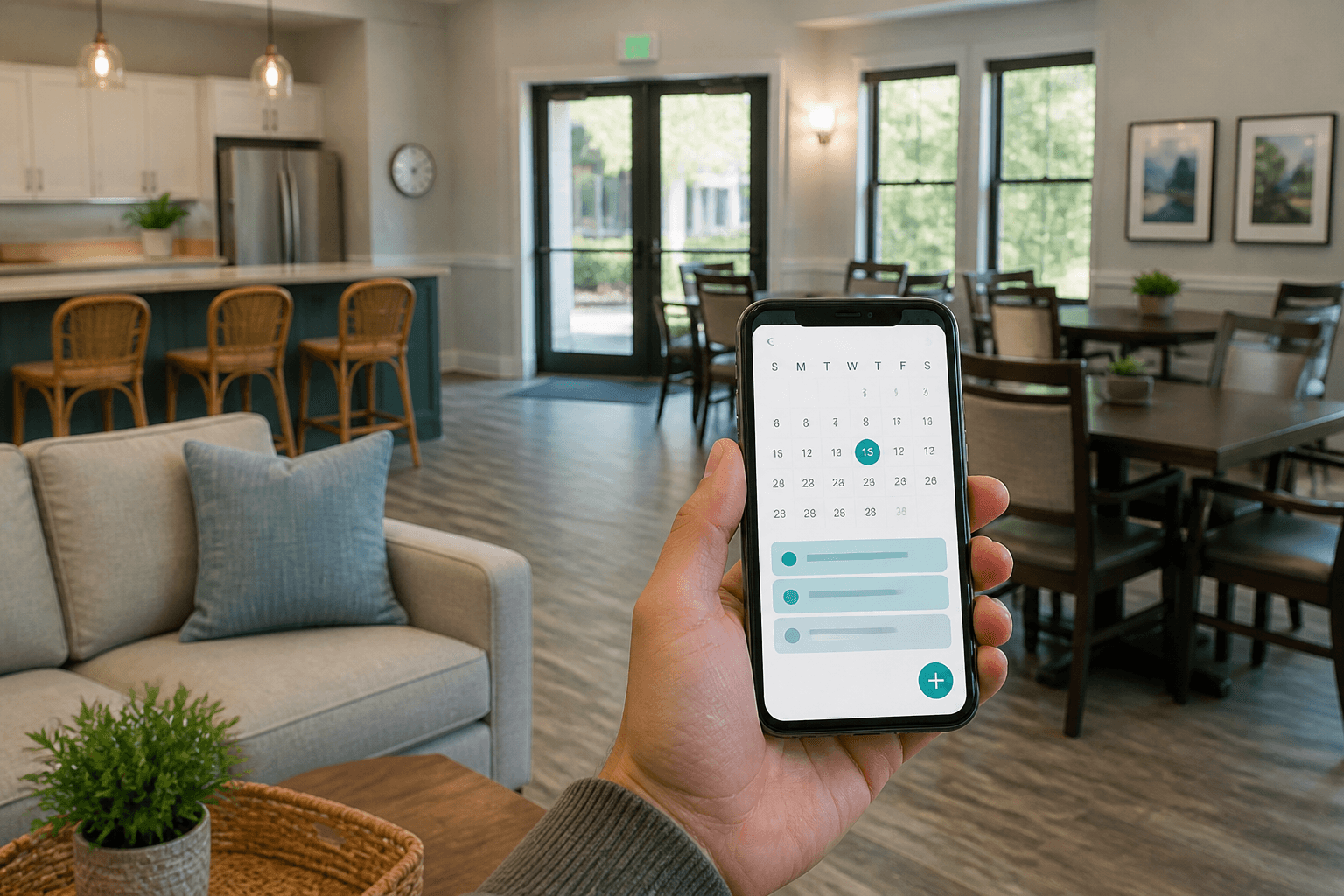
Clubhouse and community room reservations should not live in an email thread or a paper calendar on the kitchen counter. Birthday parties collide with committee meetings, someone books the gathering space without leaving time to clean, and the same few households lock up prime weekend dates. HOAs, clubs, and campuses need a clearer system: publish availability, set rules and fees up front, and let the right people hold the room online.
HoldATime.com is how you set up clubhouse reservation rules and approvals: hourly or all-day holds, cleaning buffers, Groups, and optional review before a large event is confirmed. See clubhouse and community room reservation software to publish the room calendar. Start on the Free plan — no credit card — with a free landing page, 50 future reservations, a 14-day booking window, and unlimited amenities and users.
Who can book clubhouse reservations
In Customer features you control onboarding. Two options cover most communities:
- Only people you add. Invite or import customers from a spreadsheet. Only that list can sign in and reserve the clubhouse or community room — ideal for residents-only HOAs and private clubs.
- Open registration. Anyone can create an account for your organization from your public page or QR poster and start booking — useful for civic centers, open clubs, or guest-friendly facilities.
The public page can be open to anyone, limited to registered members of that organization, or turned off.
When only certain households should book a room, use Groups — for example Owners vs Renters — and restrict that clubhouse or community kitchen so only listed groups can reserve. Different amenities can allow different groups, so parties and committee meetings stay aligned with your policy.
Hourly blocks, cleaning time, or all-day community room booking
Not every gathering needs the same shape of reservation. Configure each amenity — Clubhouse, Community Kitchen, or Meeting Room — so people book the way your space actually works:
- Block of hours for meetings, classes, or shorter parties within your booking hours and capacity limits.
- Cleaning buffer between holds so turnover, trash, and kitchen reset are protected before the next reservation starts.
- All-day holds when an event needs the full space from open to close.
Set availability windows and how far ahead people can reserve so the calendar matches your staffing and access rules — not an open free-for-all.
Reservation rules, approvals, and fines
Popular rooms fail when policy lives only in a handbook. Set restrictions per amenity so the calendar enforces them:
- Maximum duration and daily hold limits
- Booking windows and blackout dates for maintenance or holidays
- Optional staff or board approval before a party or large gathering is confirmed
- Published fines and penalties — late return, cleanup failures, capacity overages, and similar rules — so expectations are clear before someone books
- Optional recurring reservations when an admin enables them for standing committee or class holds
Use auto-confirm for low-risk short holds and require approval when judgment (or a deposit) matters. Fair-use and cleanup expectations become the default instead of a dispute after the event. Recurring stays off unless you authorize it on that room.
Optional booking fees with Stripe Connect
Clubhouses and rooms can stay free, or you can add an optional booking fee after you connect Stripe on Settings → Billing. Bookers pay the listed fee at Stripe Checkout. Money goes to your organization’s Stripe account; HoldATime keeps $0. Card processing comes out of what you receive. Fees are available on Core and Pro (not Free). A fee does not require approval, and paid reservations cannot use a recurring series. Step-by-step: how to set up payments for resource reservations.
QR posters and printable room passes
Print a QR poster and hang it near the clubhouse entrance or community room door. Scanning opens your public booking page so people can check availability and hold a slot on their phone. After they reserve, they get a printable QR confirmation pass for on-site check-in. Same flow on phone or tablet; no separate app store install required.
Get clubhouse reservations live quickly
Create your organization, add the clubhouse or community room as a resource, set hourly or all-day rules and cleaning buffers, publish the booking page, choose open, registered members only, or no public page, then print a QR poster and take a test reservation. For a step-by-step walkthrough, see how to set up amenity reservations with HoldATime, see the clubhouse reservation page, or sign up free and start in minutes.
Free plan and pricing
Start on the Free plan with no credit card: a free landing page, up to 50 future reservations, a 14-day booking window, and unlimited amenities and users. When you need higher capacity, reservation payments, a longer booking horizon, or branding control, see HoldATime pricing for Core, Pro, and Enterprise — or get started free and take your first clubhouse reservation today.
If you manage an HOA, you may also be interested in HOAResidents.com. It includes the same amenity booking capability as HoldATime, plus HOA-specific features such as a free public website, resident portal, documents, announcements, messaging, and board tools — at a very similar price point.
In the product
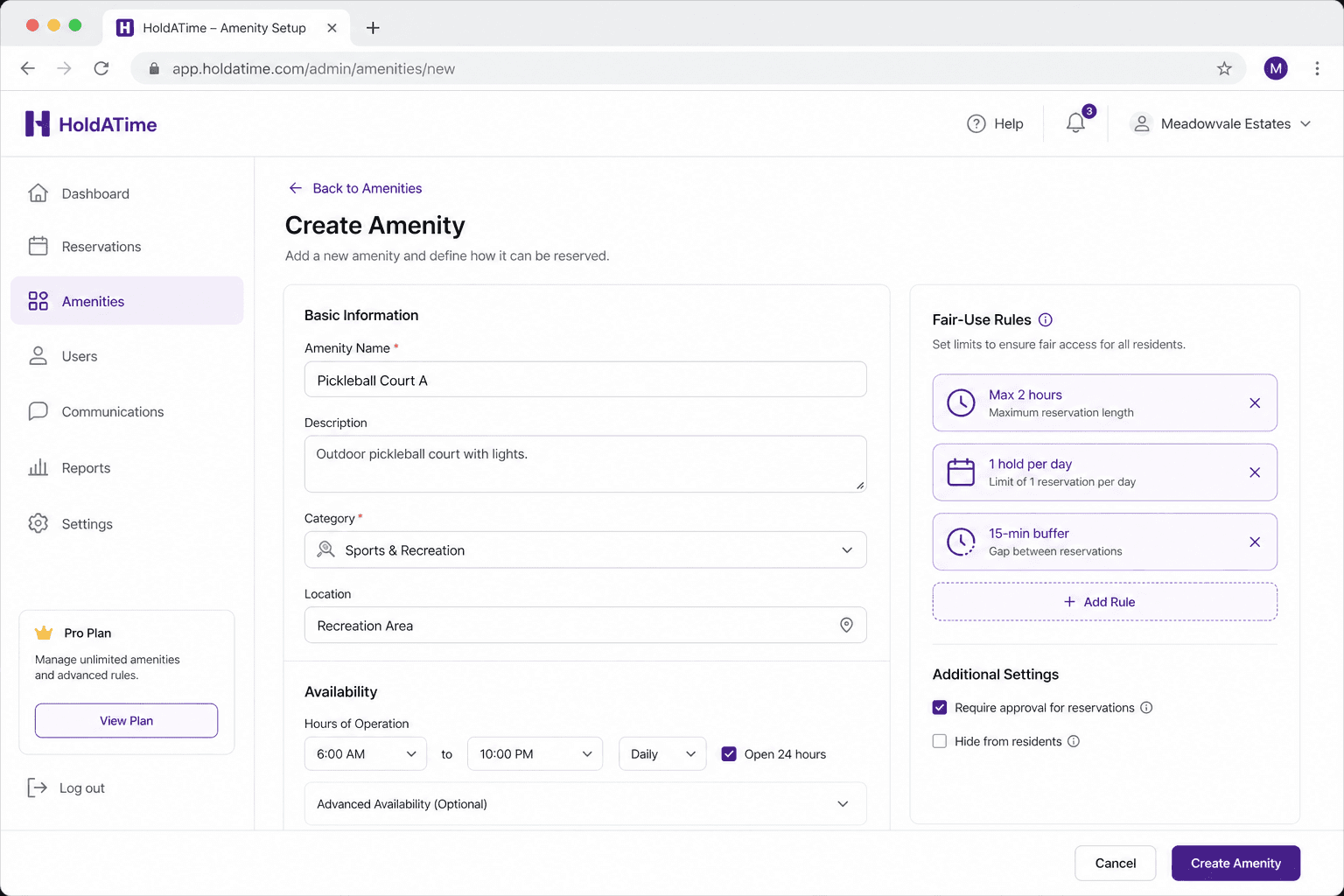
Set up the clubhouse or community room with availability, duration limits, and a cleaning buffer between bookings. 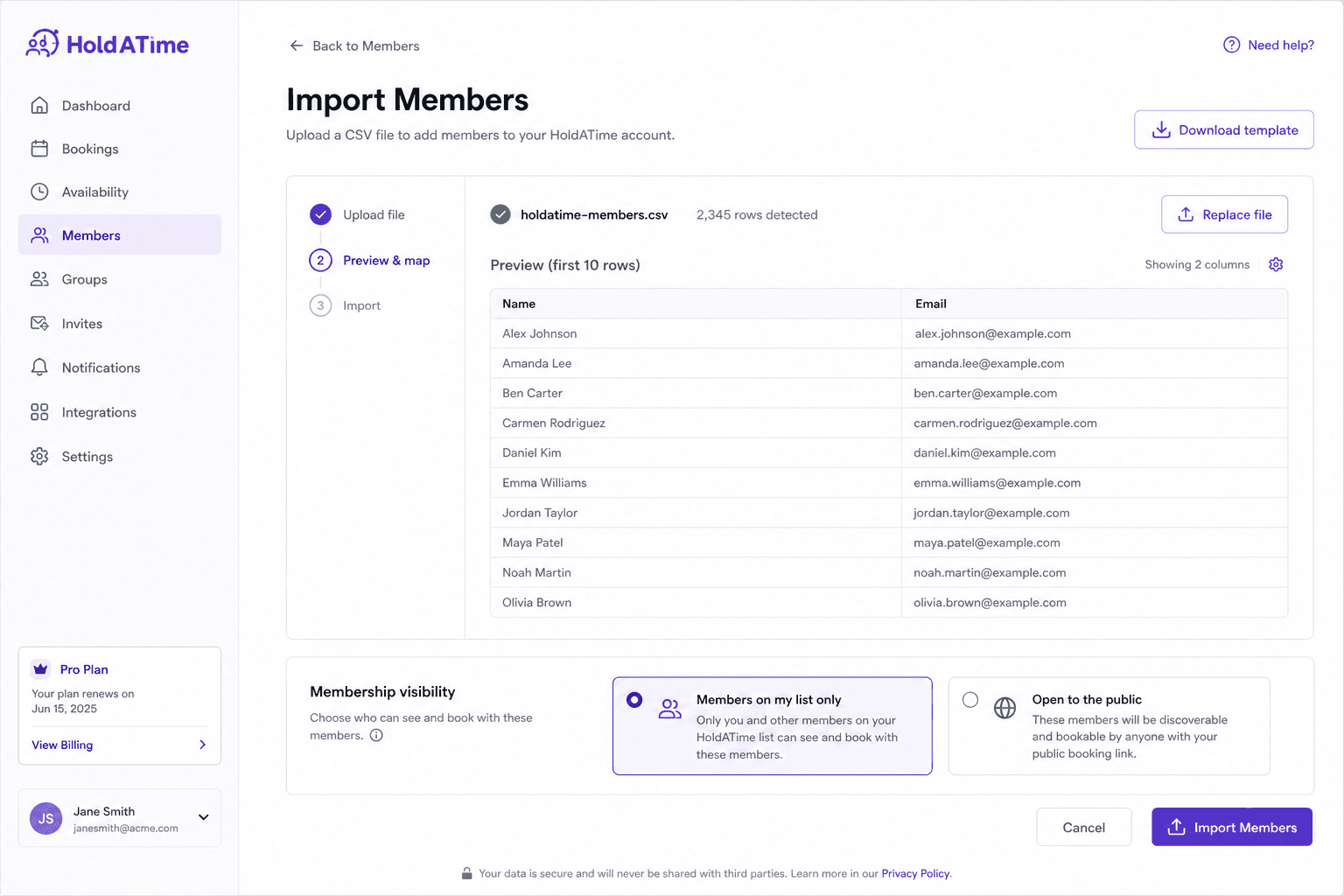
Import residents from a spreadsheet for list-only booking, or open registration so members can sign up and reserve. 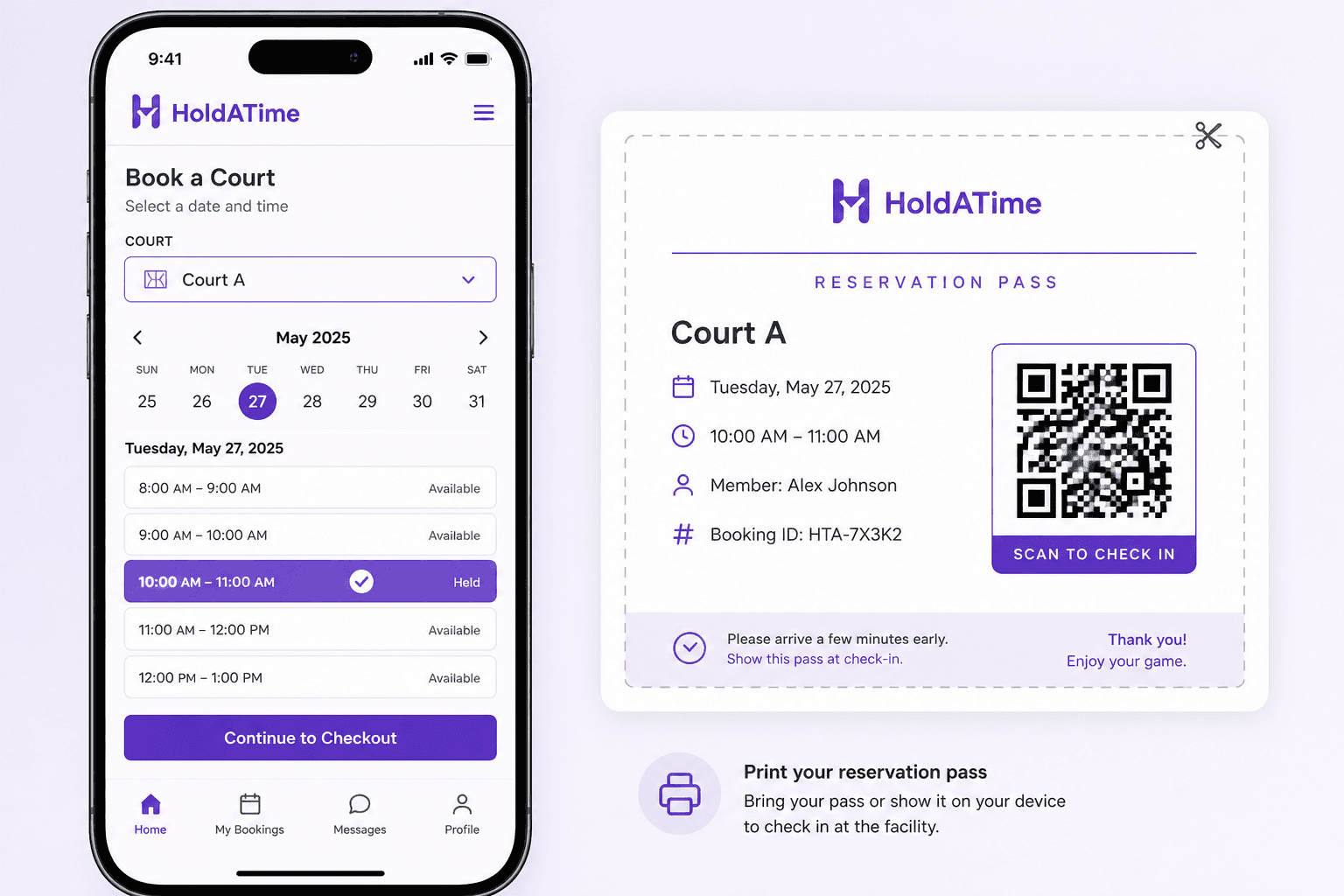
Renters hold an open room slot and show a printable QR pass — the same flow from a poster scan on their phone.