Free Equipment Reservation Software with HoldATime
Date published: September 24, 2026
Author: Kelly Fansler, Founder HoldATime
Reserve shared equipment online — bikes, cornhole sets, pressure washers, toolboxes, projectors, and digital displays. Numbered units, return rules, Groups, and a QR poster.
Shared equipment disappears the same way every time. Someone takes the pressure washer for “a few hours,” the projector is already in another classroom, and the only record is a clipboard no one updated. Bikes, cornhole sets, toolboxes, and digital displays all have the same problem: the item is real, the schedule is not.
HoldATime.com is free equipment reservation software for anything a group lends out. Sports gear, maintenance tools, and classroom equipment use one booking page. You name each item, set how long it can be out, and let the right people reserve it online. Start on the Free plan — no credit card — with a free landing page, 50 future reservations, a 14-day booking window, and unlimited amenities and users.
Any equipment you lend
HoldATime does not limit the list to one kind of gear. If people check it out and bring it back, it can be a resource:
- Sports equipment — bikes, cornhole sets, ball carts, and other gear that should have a return time.
- Maintenance equipment — pressure washers, toolboxes, ladders, and similar tools staff or members borrow.
- School equipment — projectors, digital displays, and carts that move between classrooms.
A club can publish bikes and a cornhole set. A campus can publish a projector and a display. A facilities team can publish the pressure washer. Each resource keeps its own rules.
Numbered units so two people cannot take the same item
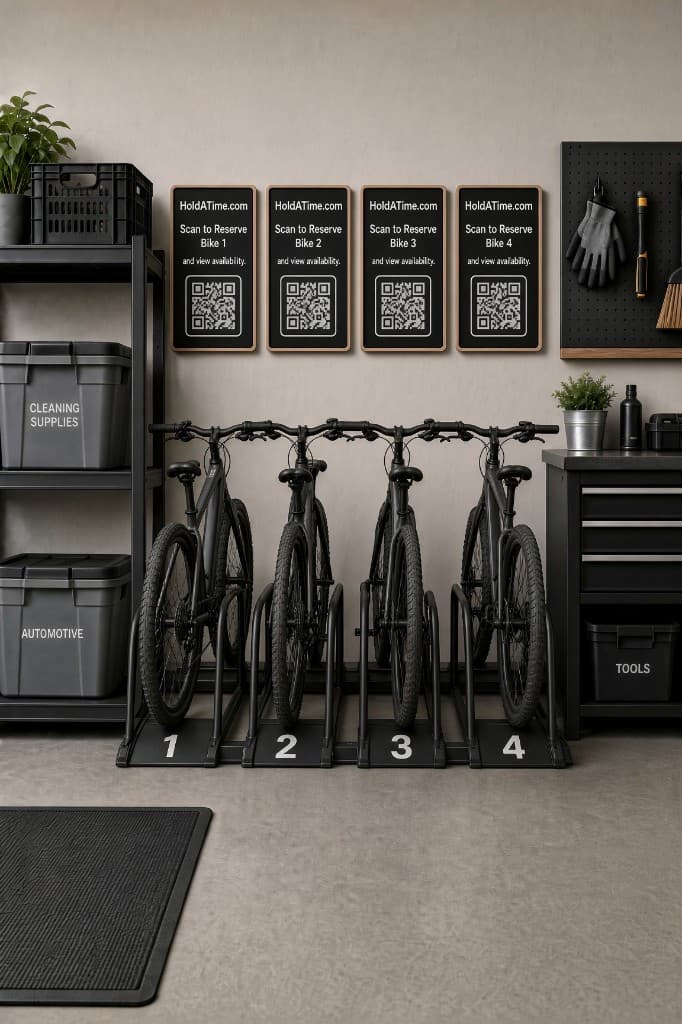
Create one amenity for a category, then add the actual pieces as units. Bike 1, Bike 2, and Bike 3 can be out at the same time. A hold on Bike 1 does not block Bike 2. The same pattern works for Projector A and Projector B, or Washer 1 when you only have one machine.
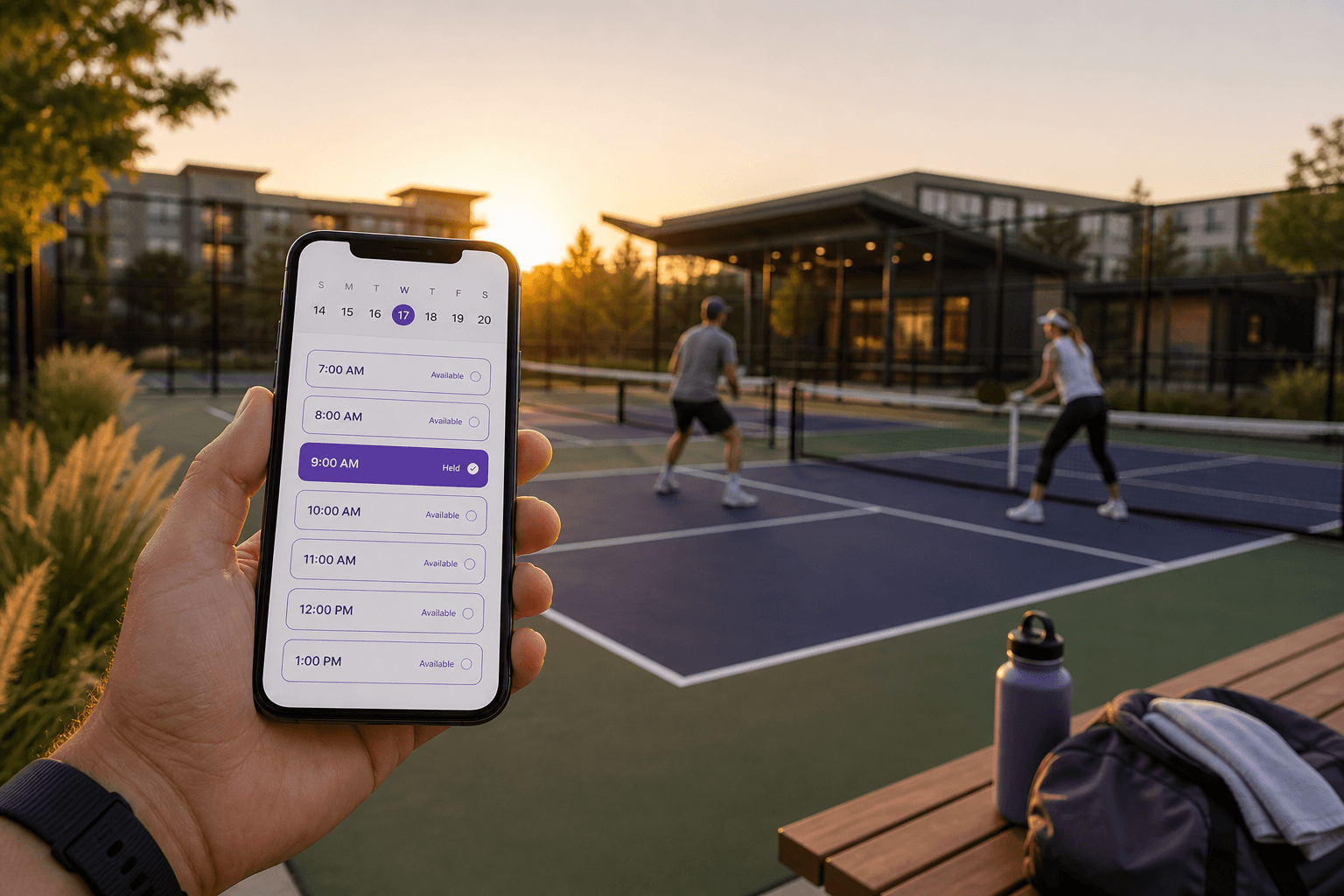
People open the booking page, pick a free unit and a time, and the calendar blocks that unit until the reservation ends. The next person sees what is still available instead of asking in a group chat.
Who can reserve equipment
In Customer features you control who can book:
- Only people you add. Invite or import customers from a spreadsheet. Only that list can sign in and check out equipment.
- Open registration. Anyone can create an account from your public page or QR poster and reserve — useful for parks, open clubs, and guest-friendly programs.
Groups keep different equipment with different people. Maintenance staff can reserve the toolbox. Teachers can reserve the projector. Members can reserve bikes. You can also pause reservations when gear is in for repair.
Return times, buffers, and fair checkout
Popular items stay available when the calendar enforces the policy:
- Maximum duration so a pressure washer is not out all weekend by default
- Daily hold limits so one person cannot stack every bike
- A buffer between reservations for cleaning, charging, or putting gear away
- How far ahead people can reserve
- Blackout dates when equipment is in the shop
- Optional staff approval before a long checkout is confirmed
Recurring reservations stay off until an admin enables them. That fits a weekly classroom display, not every casual bike ride.
Optional booking fees with Stripe Connect
Clubhouses and rooms can stay free, or you can add an optional booking fee after you connect Stripe on Settings → Billing. Bookers pay the listed fee at Stripe Checkout. Money goes to your organization’s Stripe account; HoldATime keeps $0. Card processing comes out of what you receive. Fees are available on Core and Pro (not Free). A fee does not require approval, and paid reservations cannot use a recurring series. Step-by-step: how to set up payments for amenity reservations.
QR posters at the shed, closet, or cart
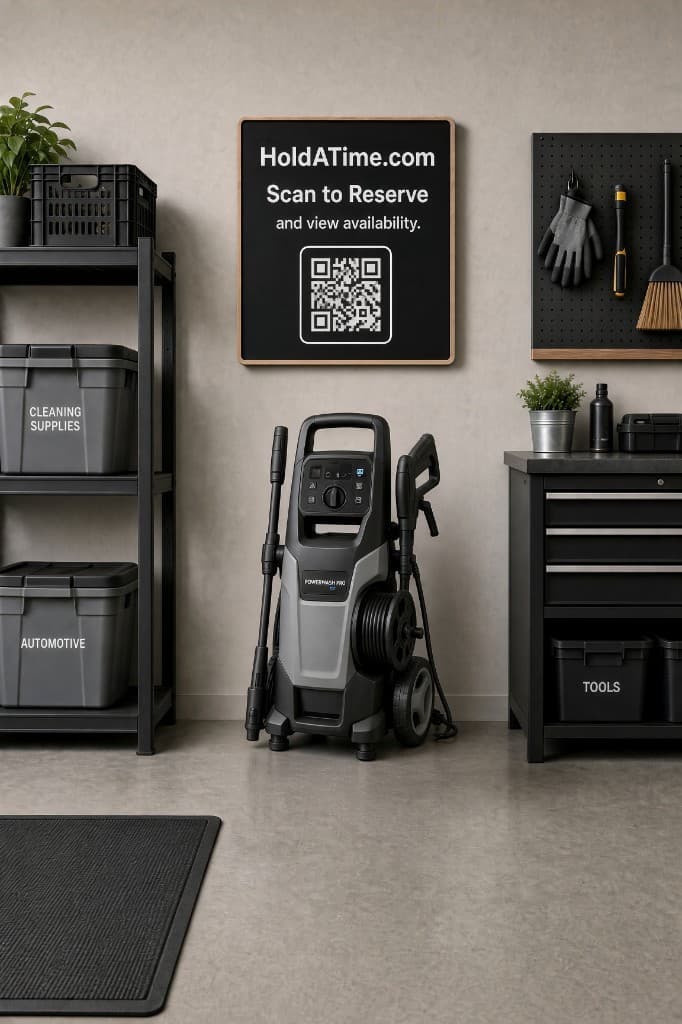
Print a QR poster and hang it where the equipment lives — the bike shed, the maintenance closet, or the AV cart. Scanning opens live availability. After someone reserves, they get a printable pass that names the unit. Same flow on a phone; no separate app install.
Get equipment reservations live
Create your organization, add the equipment as an amenity, name the units, set duration and return rules, choose who can book, then print a QR poster and take a test reservation. See the equipment reservation page, the setup walkthrough, or sign up free. Schools that share projectors and displays with rooms and gyms can start from school facility scheduling.
Free plan and pricing
Start on the Free plan with no credit card: a free landing page, up to 50 future reservations, a 14-day booking window, and unlimited amenities and users. When you need higher capacity, reservation payments, a longer booking horizon, or branding control, see HoldATime pricing.
If you manage an HOA, you may also be interested in HOAResidents.com. It includes the same amenity booking capability as HoldATime, plus HOA-specific features such as a free public website, resident portal, documents, announcements, messaging, and board tools — at a very similar price point.
In the product
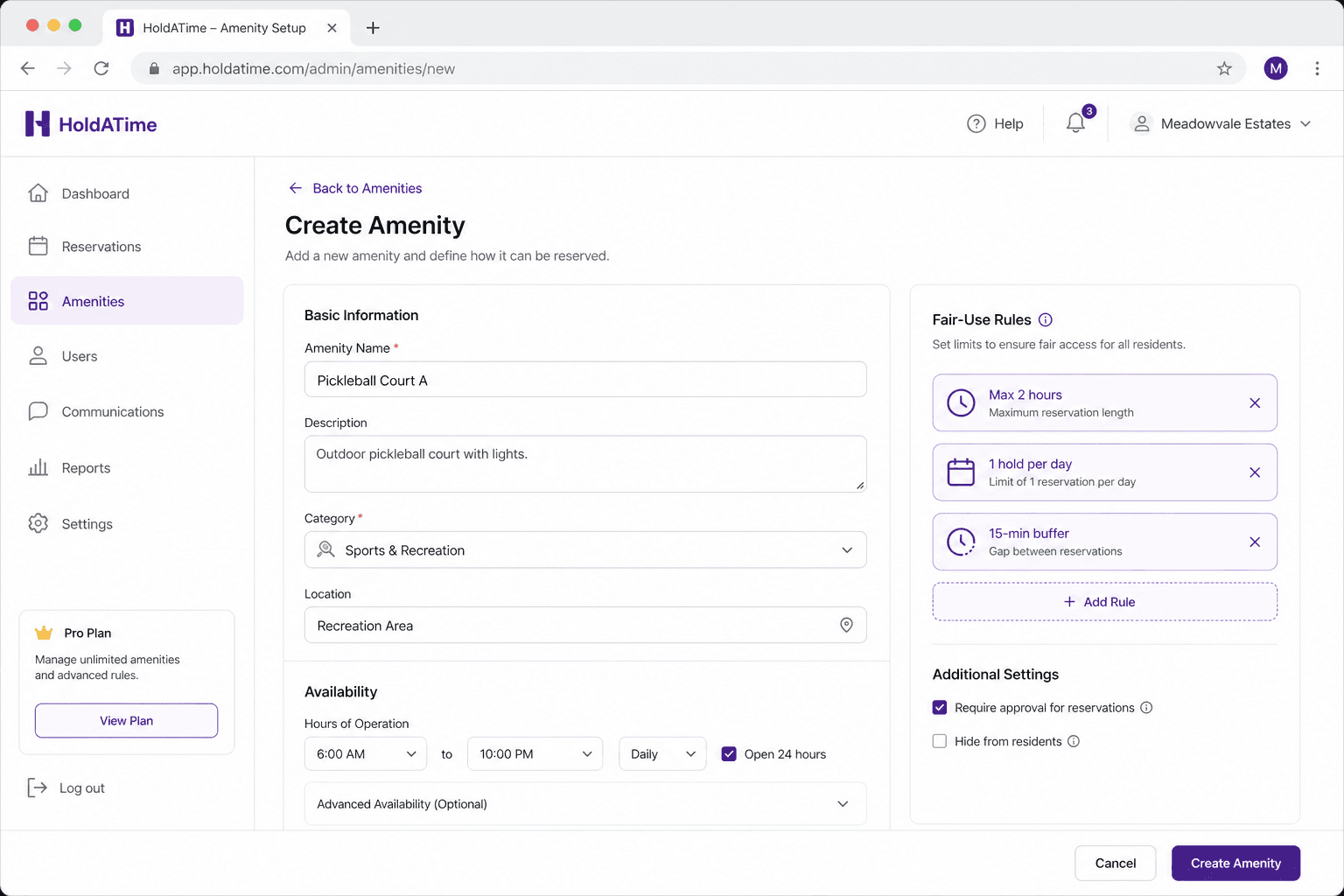
Amenity setup: name the equipment, set availability, and apply return rules such as duration caps and daily holds. 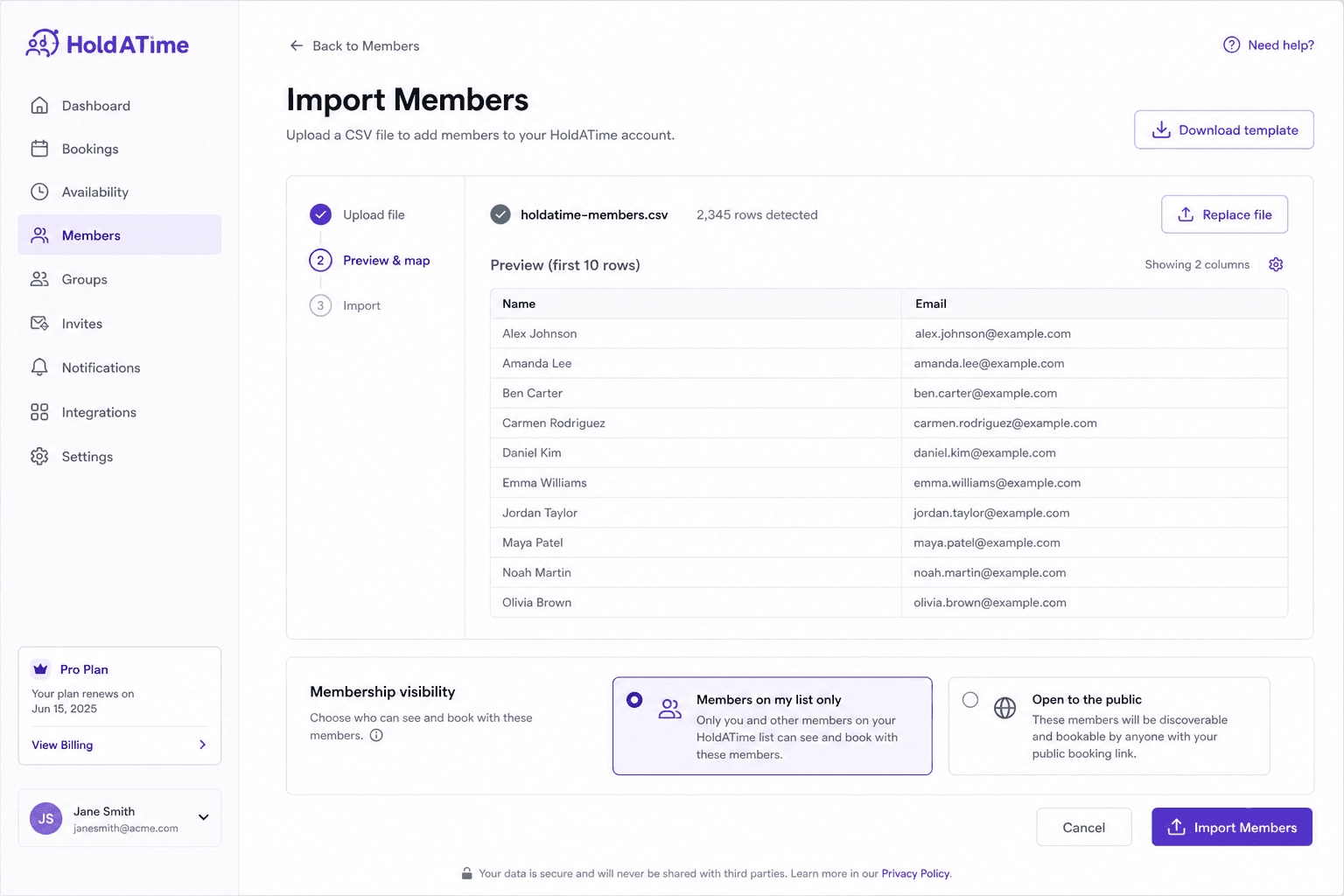
Import people from a spreadsheet for list-only checkout, or open registration so anyone can reserve. 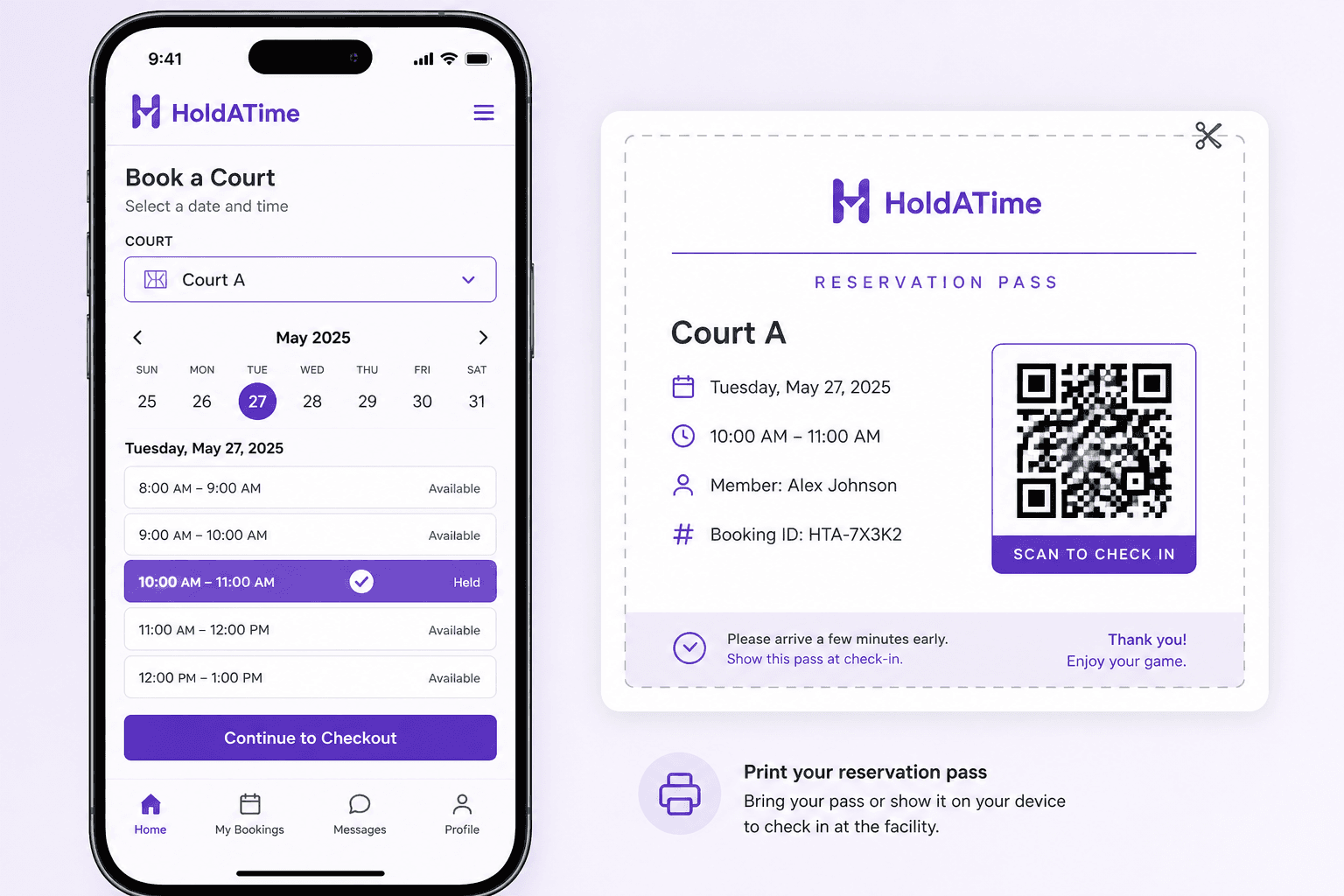
Someone holds an open unit and shows a printable QR pass — the same flow from a poster at the shed or cart.