
How to Schedule School Rooms, Gyms and Fields Without Double Bookings
Date published: August 11, 2026
Updated: October 12, 2026
Author: Kelly Fansler, Founder HoldATime
Put classrooms, gyms, and fields on one calendar so two programs cannot claim the same slot. Groups and live availability keep scheduling clear.
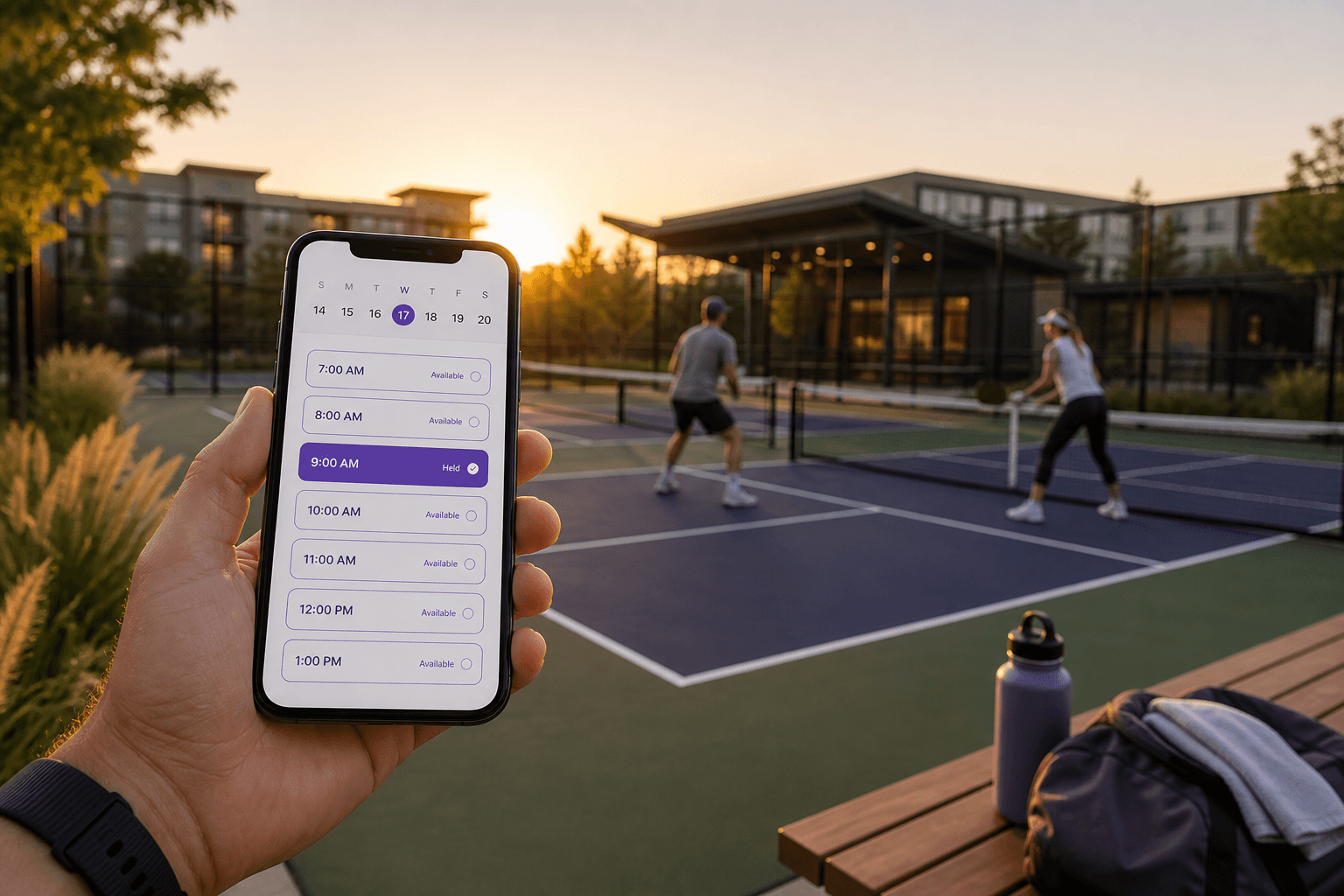
Looking for a way to schedule school rooms, gyms, and fields without double bookings? HoldATime puts classrooms, meeting rooms, equipment carts, gyms, and fields on one calendar—without a spreadsheet or a clipboard at the office door. See school facility scheduling software for rooms, gyms, fields, courts, and equipment.
Teachers, coaches, and clubs should see the same availability before they claim a space. A facility booking system for schools that is actually free to start means you can publish a booking page, set Groups, and take holds in minutes.
What a free room booking system for schools should include
- Rooms. Classrooms, conference rooms, libraries, and multipurpose spaces with duration caps and cleanup buffers.
- Equipment. Projectors, Chromebook carts, instruments, and other shared gear that needs a clear hold.
- Fields and courts. Gyms, turf, tennis and pickleball courts, and practice fields—see free pickleball and sports court reservation software.
- Groups. Teachers vs Athletics Coaches vs clubs so each resource stays limited to the right people.
School facility scheduling without the spreadsheet
School facility scheduling fails when two programs think they own the same block. HoldATime publishes live availability, blocks overlaps, and optionally requires approval. Enable Daily, Weekly, or Monthly recurring holds on amenities where PE, clubs, or athletics need a standing series—leave recurring off for first-come rooms.
Coaches who share school or public fields can also use coach and team practice scheduling with the same Free plan.
School vs standard Free
Start on the Free plan with no credit card: a free landing page, up to 50 future reservations, a 14-day booking window, and unlimited amenities and users. That is the standard Free tier for any organization—including schools trying the product.
School is $0 for approved US public K-12 schools and districts. A school or district email domain is required, and a platform admin approves each application from Billing. After approval you get up to 150 future bookings, a 30-day booking window, and Groups—versus 50 bookings in a 14-day window on standard Free. Reservation payments stay off. Details are on the HoldATime schools page and pricing.
Reservation payments stay off on Free and School. On Core or Pro you can add an optional booking fee after connecting Stripe. HoldATime keeps $0; money goes to your school’s Stripe account. See how to set up payments for resource reservations.
How to get free school room booking live
Create a free organization, add rooms and equipment, set Groups and fair-use rules, invite staff, then take a test reservation. Apply for the School plan from Billing when you need 150 bookings and a 30-day window. For a full amenity setup walkthrough, see how to set up amenity reservations with HoldATime, or sign up free and start today.
In the product
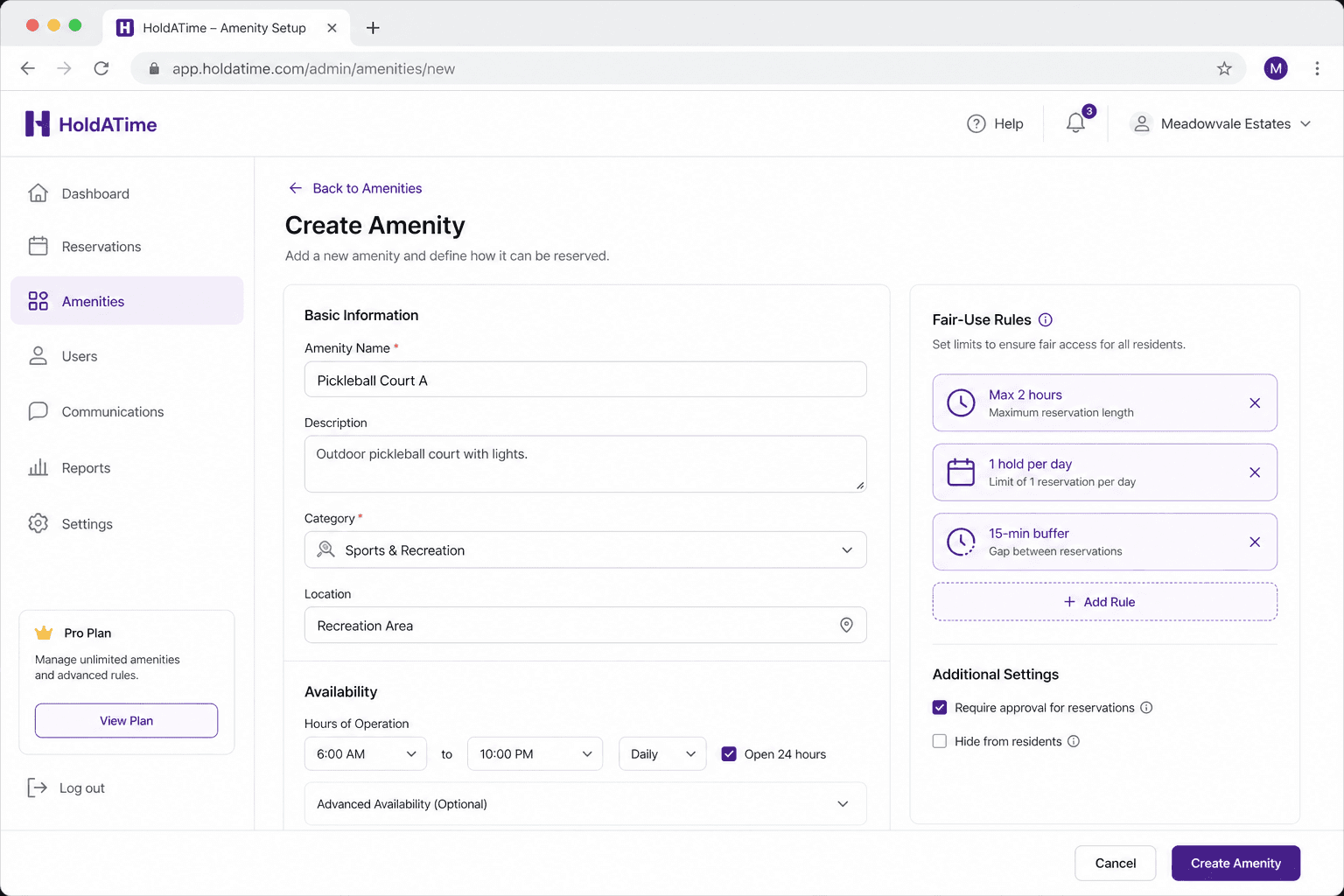
Set up each classroom, conference room, or multipurpose space with availability and fair-use rules. 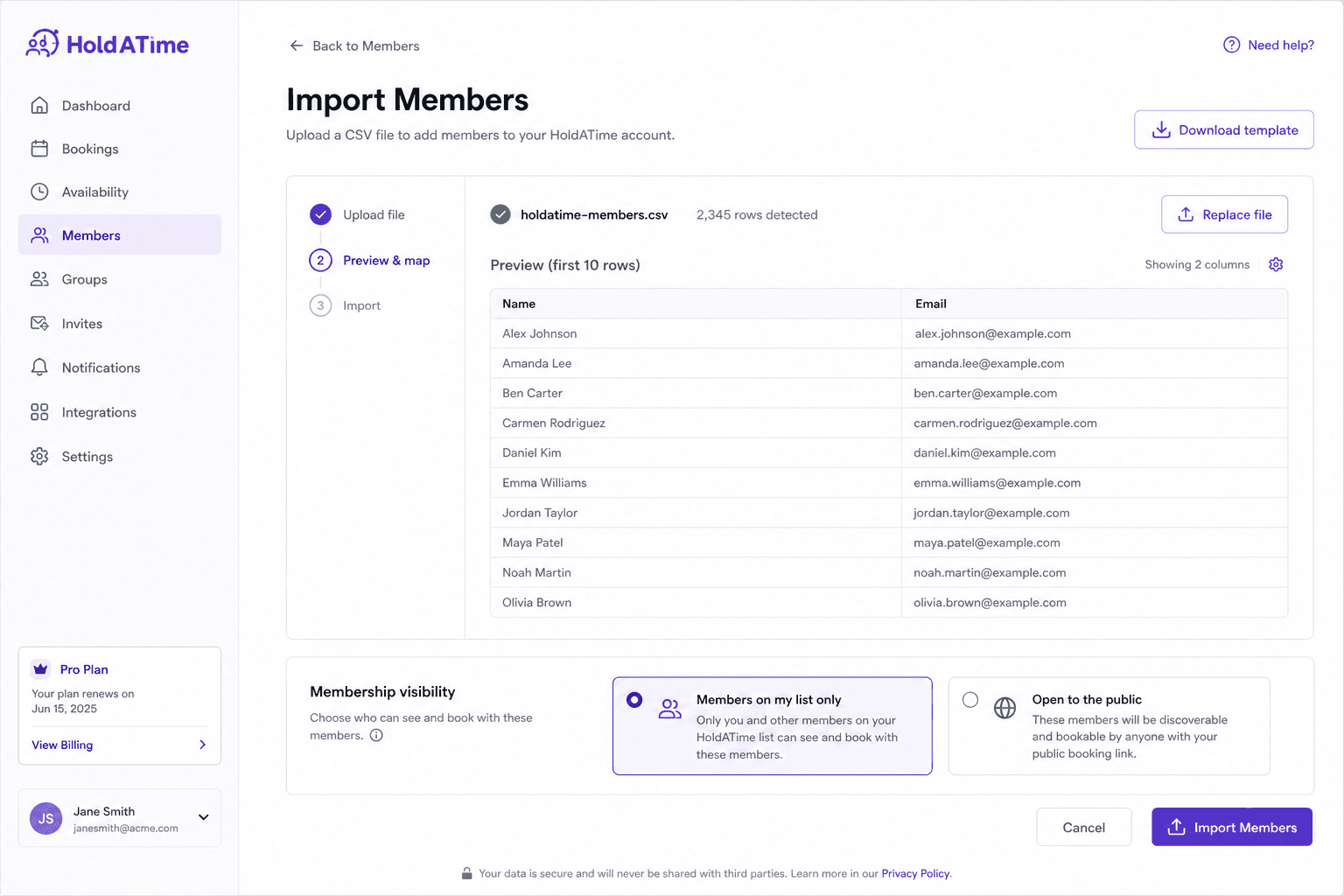
Invite or import staff from a spreadsheet for list-only booking, or open registration for approved groups. 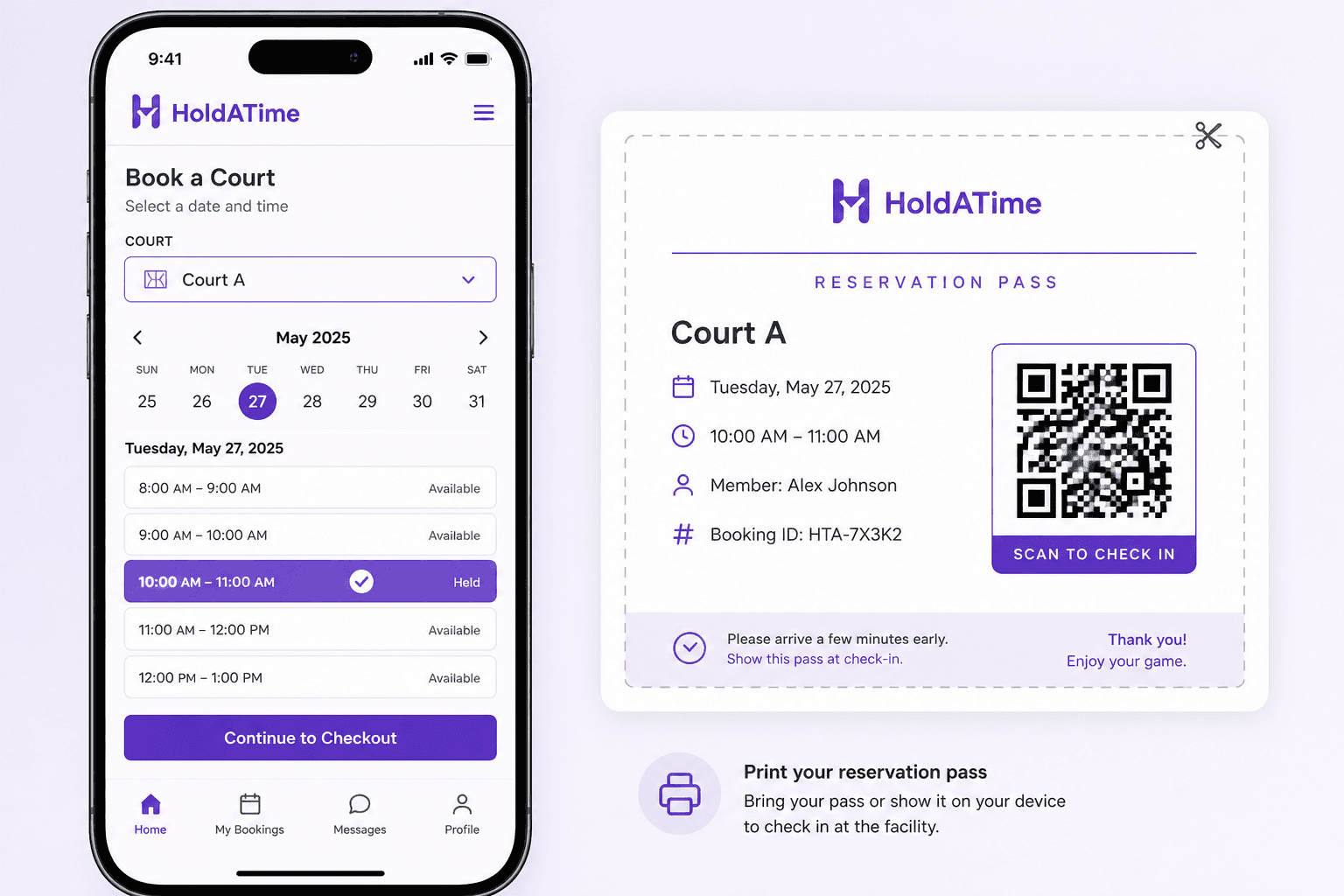
Teachers and coaches hold a room or field slot and show a printable QR pass on campus.