
Free Amenity Reservation Software with HoldATime
Date published: August 11, 2026
Updated: October 12, 2026
Author: Kelly Fansler, Founder HoldATime
Free amenity reservation software and free facility booking for courts, parking, and rooms: public landing page, fair-use rules, Groups, QR posters, printable passes, and a free plan with no credit card.
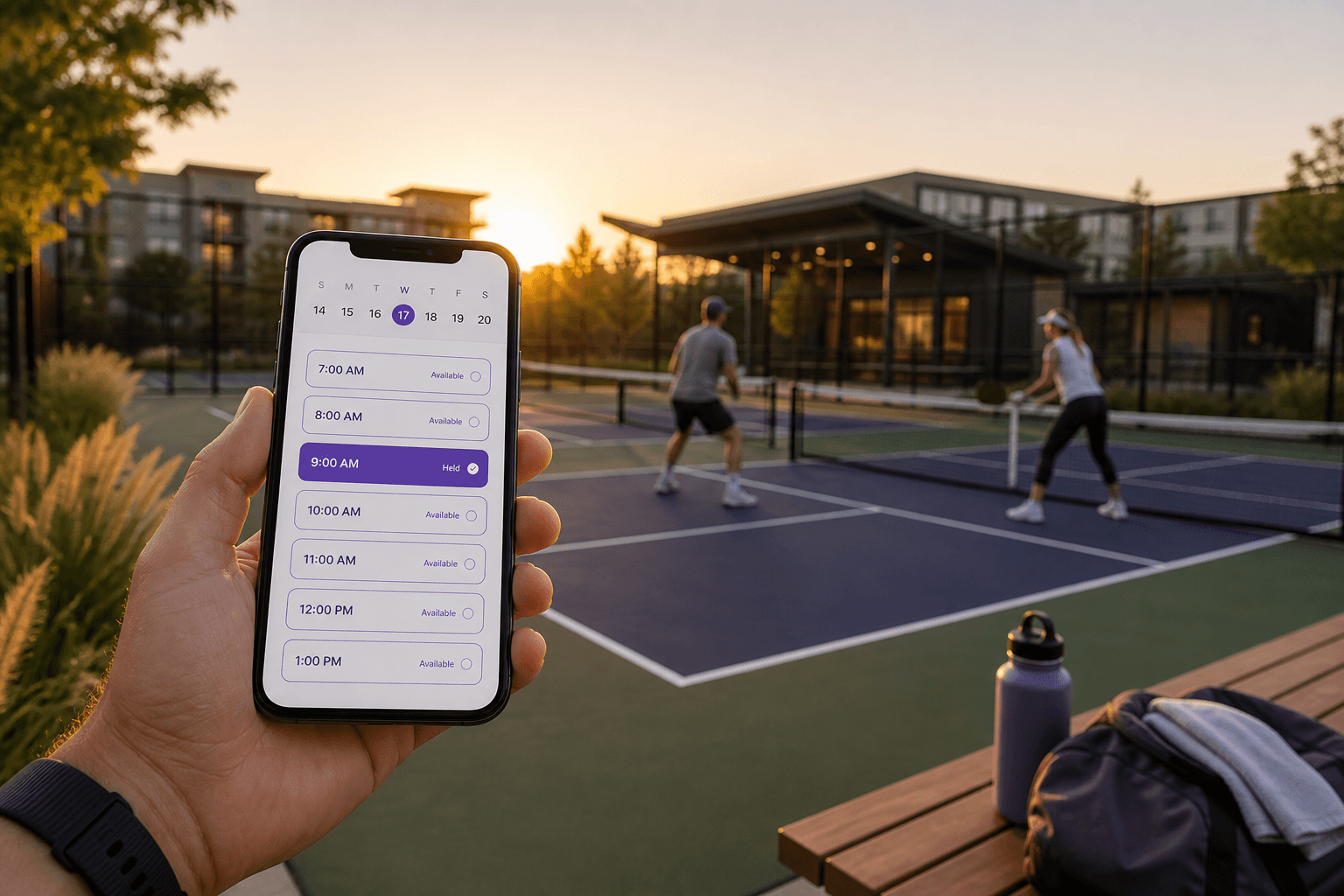
Free amenity reservation software should let clubs, communities, and organizations publish a booking page, set fair-use rules, and take holds online—without a credit card or a spreadsheet war. HoldATime.com is free facility booking software for courts, parking, rooms, and other shared spaces.
Members scan a QR poster, see what is open, and hold a slot with a printable pass. Managers import a roster or open registration, limit amenities by Groups, and turn on recurring bookings only where they allow them.
What free amenity reservation software includes on HoldATime
- Free public landing page for your organization
- Unlimited amenities and users
- Fair-use rules: duration caps, daily holds, buffers, booking hours
- Groups so different people reserve different spaces
- QR posters and printable reservation passes
- Optional approval and recurring reservations per amenity
Start on the Free plan with no credit card: a free landing page, up to 50 future reservations, a 14-day booking window, and unlimited amenities and users. See HoldATime pricing when you need more capacity, payments, or branding control.
Free facility booking for courts, parking, and rooms
Start with the amenities your people already fight over:
- Free pickleball, tennis, basketball court and sports field reservations
- Resident and guest parking reservation software
- Free clubhouse and community room booking
Public schools looking for a free room booking system should also see HoldATime for schools and the free room booking system for schools guide.
Free vs Core and Pro
Free is designed to get real bookings live: landing page, calendar, rules, QR, and passes. Core and Pro raise future-reservation limits, extend how far ahead people can book, and unlock reservation payments plus branding control. You can get started free and upgrade later—no credit card to begin.
Resources stay free until you add an optional booking fee. Connect Stripe from Settings → Billing on Core or Pro (not Free). Bookers pay the listed fee at Stripe Checkout; money goes to your organization’s Stripe account and HoldATime keeps $0. Details: how to set up payments for resource reservations.
Get free amenity reservations live quickly
Create your organization, add resources, publish the page, choose open, registered members only, or no public page, print a QR poster, and take a test hold. Step-by-step setup: how to set up amenity reservations with HoldATime.
If you manage an HOA, you may also be interested in HOAResidents.com. It includes the same amenity booking capability as HoldATime, plus HOA-specific features such as a free public website, resident portal, documents, announcements, messaging, and board tools — at a very similar price point.
In the product
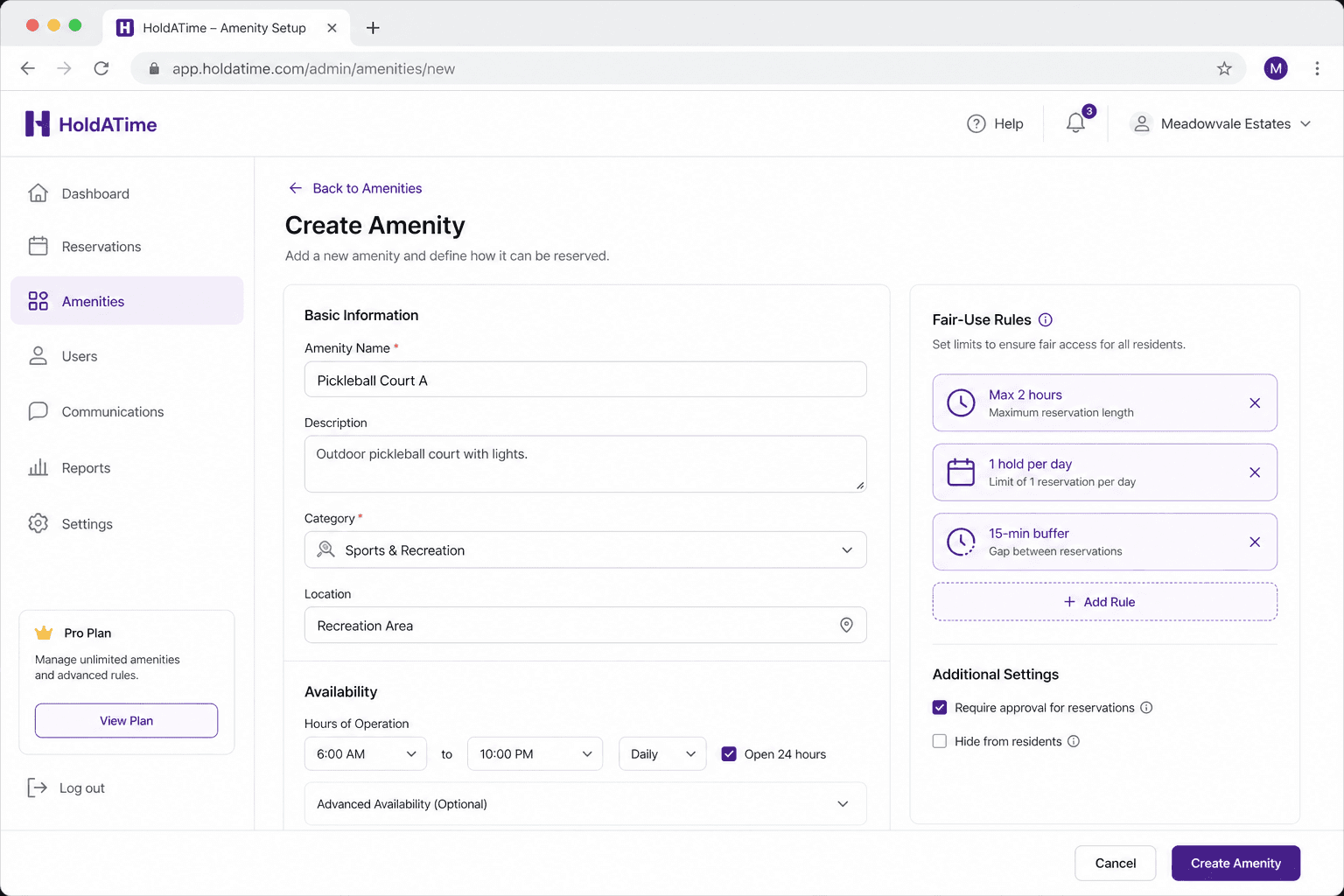
Add courts, parking, or rooms once—set duration caps, buffers, and booking hours. 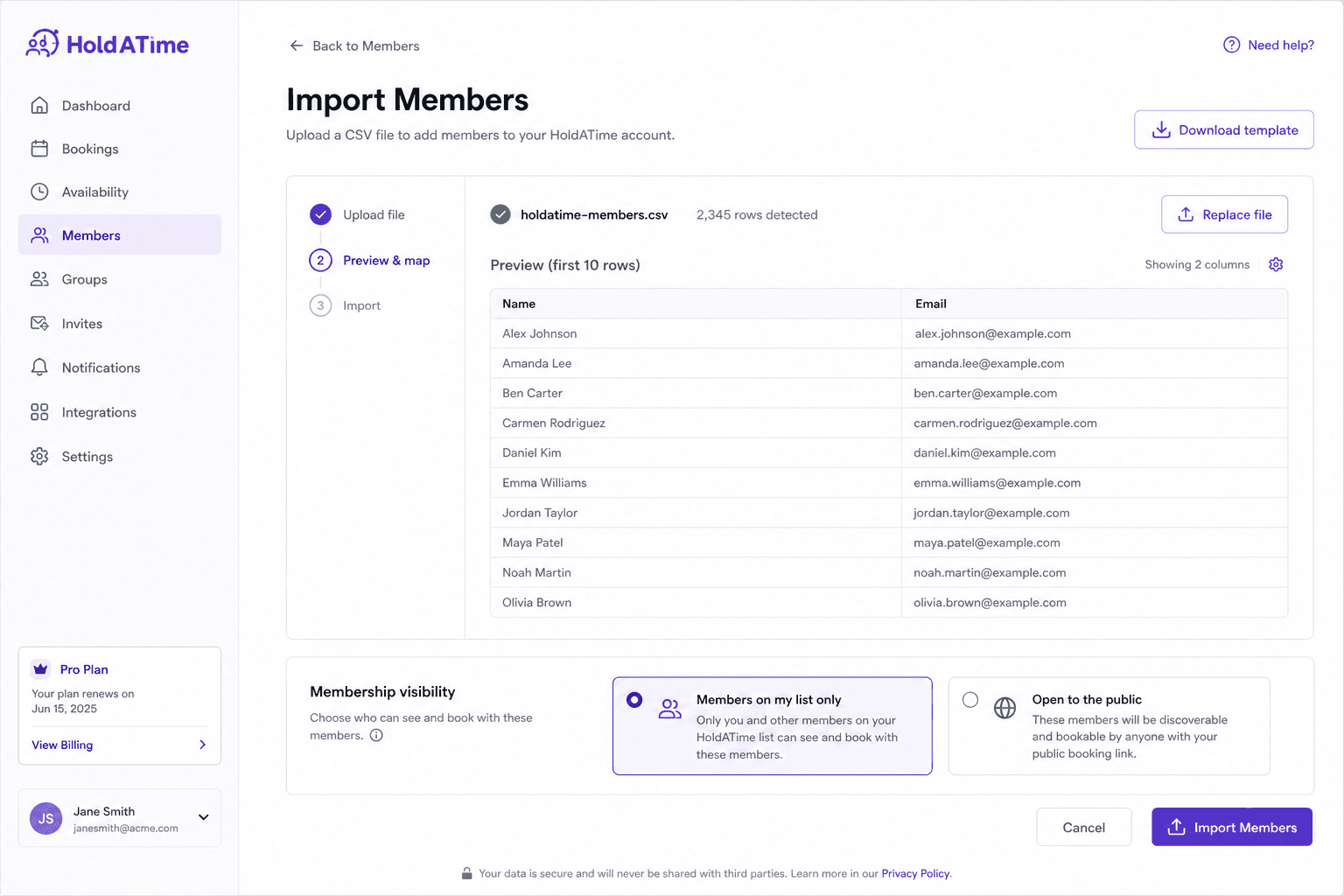
Import members from a spreadsheet or open public signup so people can reserve online. 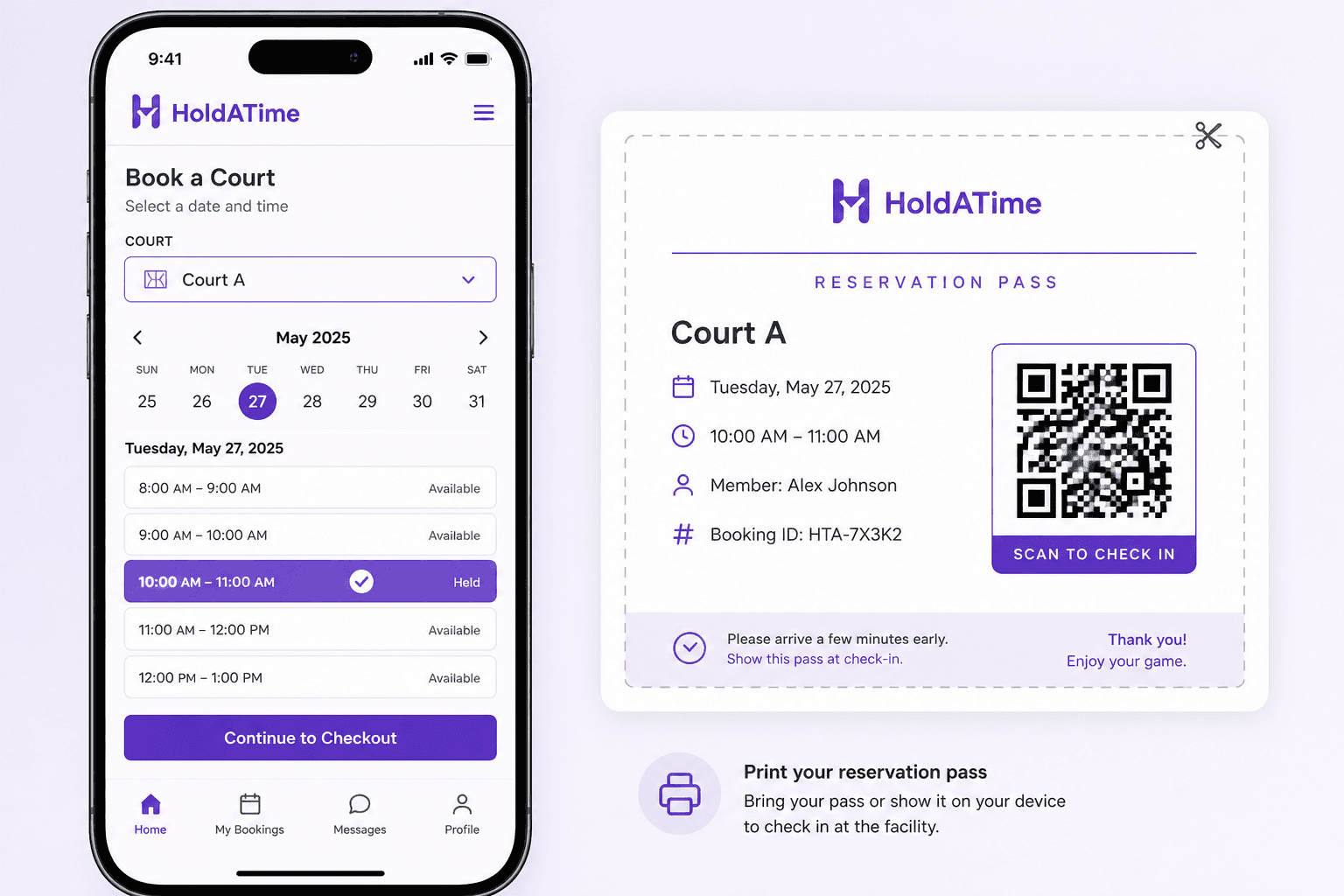
Members hold an open slot and show a printable QR pass—the same flow from a poster scan.